
Want your SaaS to live at example.com/app while the actual Next.js app is hosted on Vercel? Totally doable—and cleanly—using a tiny Cloudflare Worker as a reverse proxy. No complex DNS setups, no iframe hacks, no weird redirects for users.
Below I’ll show you exactly how to wire it up end-to-end. Copy, paste, ship.
What You’ll Build
URL your users see: https://example.com/app (and everything under it)
Where the app actually runs: acme-saas.vercel.app
How it works: a Cloudflare Worker intercepts requests to /app…, forwards them to your Vercel app, then streams the response back—rewriting redirects so users never see the Vercel hostname.
How the Reverse Proxy Works (in Plain English)
- A request hits example.com/app/…
- The Worker catches it, rewrites the target URL to your Vercel app (acme-saas.vercel.app) and forwards the original method, headers, cookies, and body.
- If Vercel responds with a redirect pointing to its own domain, the Worker rewrites the Location header back to example.com/app…
- The user never leaves your domain or subdirectory.
The Worker Code (Copy–Paste)
Paste this into a new Cloudflare Worker and change TARGET_HOST.
It supports GET/POST, cookies, streaming, and redirect rewrites.
// --- CONFIG ---
const TARGET_HOST = 'acme-saas.vercel.app';   // <-- change this
const PREFIX = '/app';                         // path on example.com

addEventListener('fetch', (event) => {
  event.respondWith(handle(event.request));
});

async function handle(request) {
  const url = new URL(request.url);

  // Only intercept our directory
  const hit =
    url.pathname === PREFIX || url.pathname.startsWith(PREFIX + '/');
  if (!hit) return fetch(request);

  // If your Next.js app runs at the ROOT on Vercel, strip the prefix:
  const pathForVercel = url.pathname.replace(PREFIX, '') || '/';

  // If your Next.js app is configured with basePath = '/app',
  // then forward the path as-is instead:
  // const pathForVercel = url.pathname;

  const targetUrl = `https://${TARGET_HOST}${pathForVercel}${url.search}`;

  // Clone/adjust headers
  const headers = new Headers(request.headers);
  const originalHost = headers.get('host') || 'example.com';
  headers.set('host', TARGET_HOST);
  headers.set('origin', `https://${TARGET_HOST}`);
  headers.set('x-forwarded-host', originalHost);
  headers.set('x-forwarded-proto', 'https');

  // Build request init (no body on GET/HEAD)
  const init = {
    method: request.method,
    headers,
    redirect: 'manual',
  };
  if (request.method !== 'GET' && request.method !== 'HEAD') {
    init.body = request.body;
  }

  // Optional: cache static Next assets aggressively
  // if (pathForVercel.startsWith('/_next/') || pathForVercel.startsWith('/static/')) {
  //   init.cf = { cacheEverything: true, cacheTtl: 86400 };
  // }

  let resp = await fetch(targetUrl, init);

  // Rewrite absolute redirects back to example.com/PREFIX
  const loc = resp.headers.get('Location');
  if (loc && loc.startsWith(`https://${TARGET_HOST}`)) {
    const newHeaders = new Headers(resp.headers);
    newHeaders.set(
      'Location',
      loc.replace(`https://${TARGET_HOST}`, `https://${originalHost}${PREFIX}`)
    );
    resp = new Response(resp.body, { status: resp.status, headers: newHeaders });
  }

  return resp;
}
Step-by-Step Setup
1) Make Sure Cloudflare Is Proxying Your Domain
Do:
- In Cloudflare → DNS, set your example.com apex and www records to orange-cloud (Proxied).
- In SSL/TLS → Overview, set encryption mode to Full (strict) to keep end-to-end TLS.
- If you have other subdomains, keep them DNS-only (gray-cloud) unless you intend to proxy them.
Common pitfalls:
- Using Flexible SSL can cause redirect loops with Vercel and apps expecting HTTPS.
- A wildcard page rule or route that captures /app can conflict with the Worker—clean those up first.
2) Create the Worker
Do (Dashboard path):
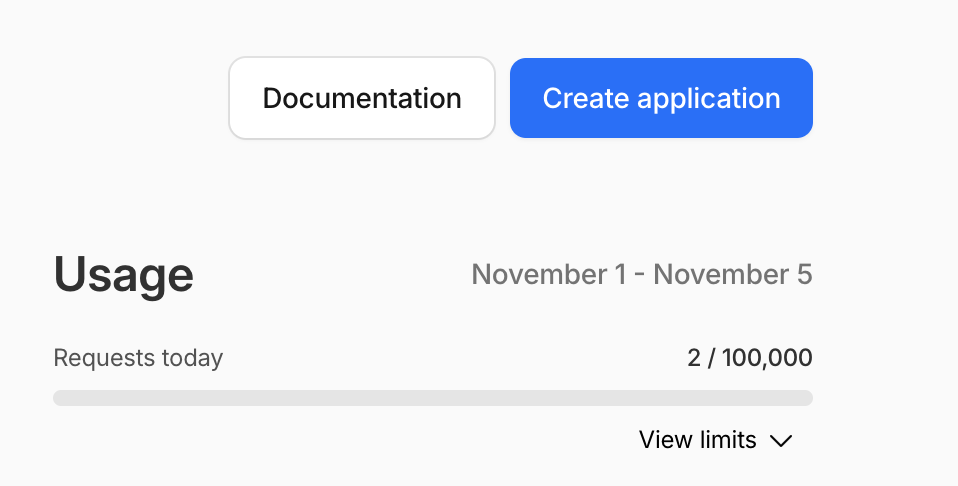
- Workers & Pages → Create application → Worker
- Name it (e.g., subdir-proxy).
- Paste the Worker code from this post and Save → Deploy.
Do (CLI path, optional):
# Requires: npm i -g wrangler
wrangler init subdir-proxy
# Replace the generated index with the code from this post
wrangler login
wrangler deploy
Common pitfalls:
- Mixing module worker syntax with service-worker syntax. This guide uses
addEventListener('fetch', ...)(service-worker). - Deploying but forgetting to add Routes (next step) — the Worker won’t run without them.
3) Add the Routes (Critical)
Do:
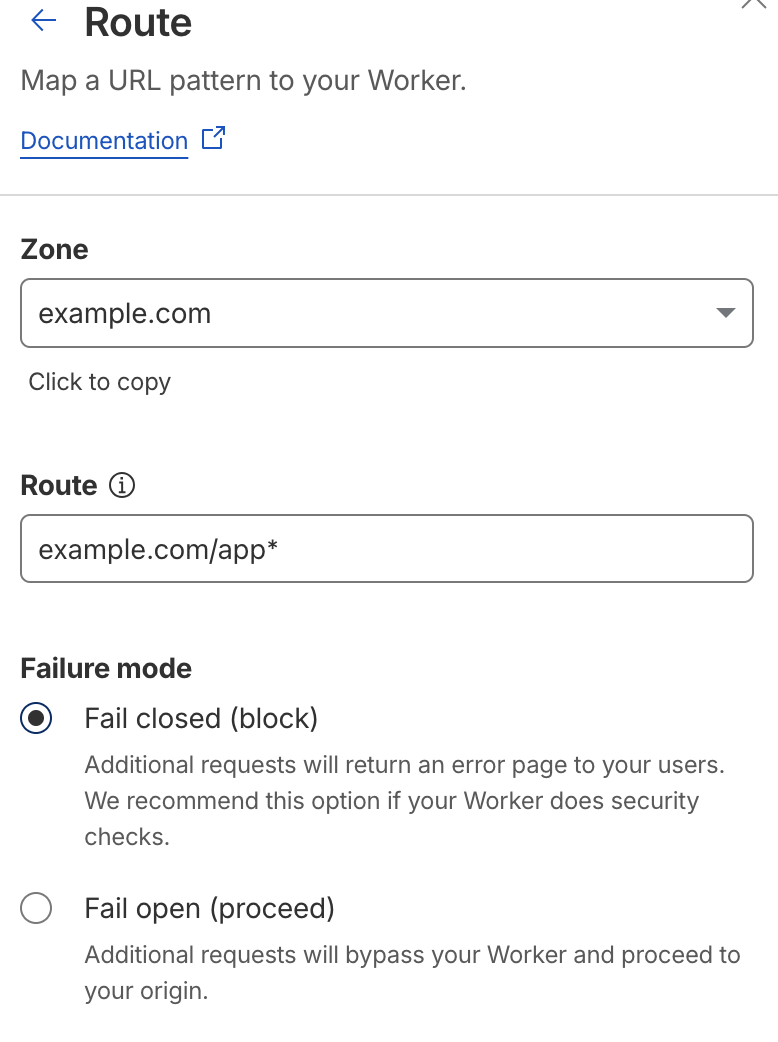
- Workers → your Worker → Triggers → Routes → Add routes
- example.com/app
- example.com/app* (catch-all)
- Ensure these routes target this Worker.
Common pitfalls:
- Accidentally using example.com/* and proxying your whole site. Keep it scoped to /app.
- Multiple Workers bound to overlapping routes—Cloudflare uses the most specific match, but be explicit.
4) Point the Worker to Your Vercel App
Do:
In the Worker code, set:
const TARGET_HOST = 'acme-saas.vercel.app';
const PREFIX = '/app';
Deploy the Worker again.
Common pitfalls:
- Pointing to a custom Vercel domain that isn’t fully configured/allowlisted. Use the default *.vercel.app host unless your custom domain is ready.
- Hard-coded absolute URLs in your app (e.g., https://acme-saas.vercel.app/…) bypass the proxy. Use relative URLs.
5) Decide How to Handle the Subdirectory Path
Option A: Strip the prefix (default)
Keep:
const pathForVercel = url.pathname.replace(PREFIX, '') || '/';- Your app runs at root on Vercel (/ , /dashboard, /api/…).
- No Next.js config changes required.
Option B: Use Next.js basePath
In next.config.js on Vercel:
// next.config.js
module.exports = { basePath: '/app' };
In the Worker, forward the path as-is:
// const pathForVercel = url.pathname.replace(PREFIX, '') || '/';
const pathForVercel = url.pathname;
What to double-check (both options):
- Links and fetches are relative (e.g., /dashboard, /api/route) so they stay under /app.
- Auth libraries (e.g., NextAuth) use callbacks/redirects that respect your public URL:
- Public URL: https://example.com/app
- (Optional) Internal URL if supported: https://acme-saas.vercel.app
Common pitfalls:
- Mixing both strategies (stripping + basePath) causes double prefixes. Pick one.
- Not updating sitemap/robots/meta if you use basePath. Tools like next-sitemap need siteUrl pointing to https://example.com/app.
6) Deploy and Test
Do:
- Visit https://example.com/app (landing page).
- Click through nested routes like /app/dashboard.
- Exercise API routes under /app/api/…
- Run an auth flow (login/logout) and confirm redirects stay under /app.
- Confirm cookies set/read correctly (session cookies should be Secure and scoped to .example.com).
- Check assets and images (/_next/*, /_next/image) load as expected.
- Ensure any redirects from the origin resolve to https://example.com/app/… (not the Vercel hostname).
Rollbacks & safety:
- To disable quickly, remove the /app routes in Workers → Triggers; traffic immediately bypasses the Worker.
- Your marketing pages remain unaffected since routes are scoped to /app.
Notes & Gotchas (Read This)
Use relative URLs inside your app.
Link and fetch with /api/…, /dashboard, etc. If you hard-code https://acme-saas.vercel.app/…, you’ll jump off the proxy.
Redirects stay pretty.
The Worker rewrites Location headers from https://acme-saas.vercel.app/… to https://example.com/app/….
next/image keeps working.
Image optimization via Next.js still runs on Vercel and flows through the proxy.
Optional caching.
If you want Cloudflare to cache static Next.js assets at the edge, uncomment the init.cf block that targets /_next/ and /static/.
Quick Recap
- Cloudflare Worker = tiny reverse proxy for /app.
- Routes tell Cloudflare which paths to intercept.
- Worker forwards to your Vercel app and rewrites redirects.
- Choose strip prefix (default) or Next.js basePath—both are solid.
- Keep links and API calls relative to avoid hopping domains.
That’s it. Paste the Worker, add routes, choose your path strategy, and you’ve got a production-grade setup to host a Vercel-backed Next.js SaaS under a clean subdirectory on your main domain.
Building a Next.js app that needs payments? Here’s how to integrate Dodo Payments for one-time checkout. And if you’re evaluating storage for your Vercel app, I compared Supabase vs Vercel Blob for file hosting.